

LENOVO
Voice
Designing a unified voice experience for Lenovo PCs
Lenovo Voice is a suite of voice-powered tools designed to make interacting with a PC faster, more natural, and more accessible. The experience brings together voice assistance, live subtitles, speech-to-text, translation, and device controls within a single application.
The Project
One product. Multiple voice experiences.
Lenovo Voice brought together several distinct voice-driven tools within a single application. Each served a different purpose, ranging from controlling the PC and finding information to transcribing speech, generating live subtitles, and translating conversations. Still, they all needed to feel like parts of the same cohesive experience.
The challenge was creating an interface flexible enough to support these very different interactions without making the product feel complicated or fragmented. Users needed to understand when Voice was listening, what it was processing, and how to interact with the results, whether they were speaking a command or using traditional controls.
That meant thinking beyond individual screens. Lenovo Voice needed a shared visual and interaction language that could scale across multiple modes, work in both expanded and compact states, and provide a foundation for new capabilities as the product evolved.
My Role
UI design across the full Voice application
I served as the UI Designer for Lenovo Voice, responsible for translating the product’s UX direction and research insights into a cohesive visual and interactive experience.
My work spanned the full Voice application, including its core design language, Voice Assistant, Live Subtitles, Talk to Text, Translator, compact modes, onboarding, settings, interaction states, and motion concepts.
Working closely with UX researchers and cross-functional partners, I developed and iterated on the interface through wireframes, high-fidelity designs, and interactive prototypes—creating a system that could support both the immediate product and future voice-driven experiences.
“Voice when you want it.
Manual control when you don’t
Lenovo Voice brought several voice-driven experiences together under one visual and interaction system
Out Of Box Experience (OOBE)
Translate spoken conversations and text between languages, making communication easier and more accessible.
Voice Assistant
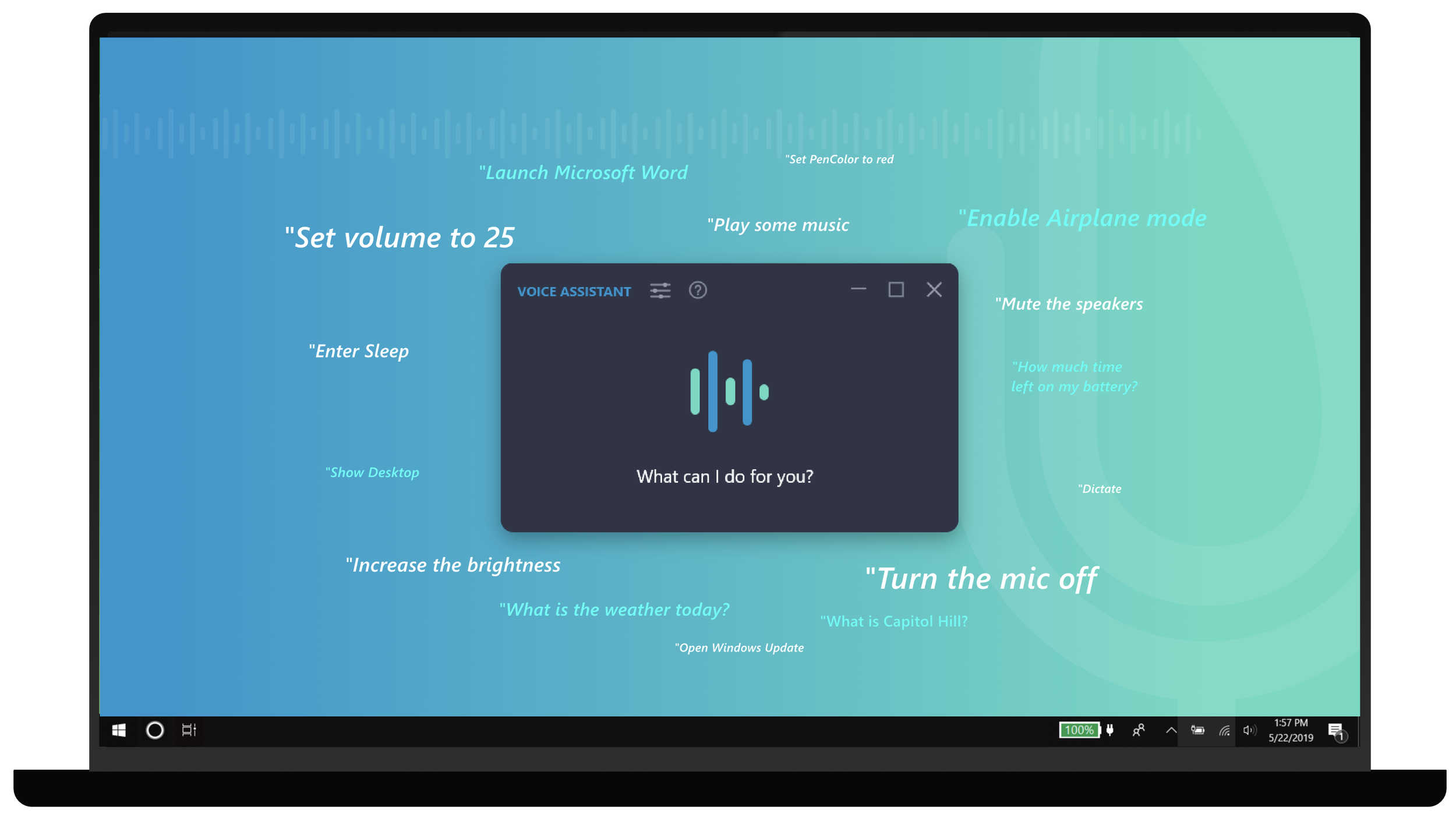
A conversational assistant that lets users control PC functions, access information, and complete everyday tasks using voice commands or traditional input.
Translator
Translate spoken conversations and text between languages, making communication easier and more accessible.
Talk to Text
Convert spoken words into written text, allowing users to dictate naturally in applications without typing.
The Voice Ecosystem
One product. Five voice experiences.
Translator Mini
A compact version of Translator that provides quick access to translation tools without interrupting the user’s workflow.
Live Subtitles
Generate real-time subtitles and translations for spoken audio, making videos, conversations, and other media easier to follow.
DESIGN SYSTEM
Scaling one design language across five modes.
A consistent visual lanquage, component system, and interaction patterns designed to work across every mode.
Live Subtitles
Generate real-time subtitles and translations for spoken audio, making videos, conversations, and other media easier to follow.
Talk to Text
Convert spoken words into written text, allowing users to dictate naturally in applications without typing.
Translator Mini
A compact version of Translator that provides quick access to translation tools without interrupting the user’s workflow.
Voice Assistant
A conversational assistant that lets users control PC functions, access information, and complete everyday tasks using voice commands or traditional input.
A conversational interface for controlling PC functions, accessing information, launching applications, adjusting settings, and completing tasks using voice or manual input.
Talk to Text
Convert spoken words into written text, allowing users to dictate naturally in applications without typing.
Translator Mini
A compact version of Translator that provides quick access to translation tools without interrupting the user’s workflow.
Voice Assistant
A conversational assistant that lets users control PC functions, access information, and complete everyday tasks using voice commands or traditional input.
Translator
Translate spoken conversations and text between languages, making communication easier and more accessible.
DEEP DIVE
Exploring the Voice Assistant.
Account management, general preferences, Talk to Text settings. Translater settings, and morel
SUPPORTING EXPERIENCE
Designing beyond the primary experience.
THE PROTOTYPE
Prototyping the entire experience.
A highly interactive Adobe X prototype connected the application's modes, controls, settings. and interactions into a navigable experience.x
Prototype Wiring
Walkthrough
The Out of Box Experience (OOBE), in case you’re unfamiliar with the term, refers to the initial interaction users have with a product, typically immediately after installation or setup. It’s designed to make a strong first impression, offering a seamless onboarding process that introduces users to the product’s key features, benefits, and navigation in a concise and engaging manner. Think of it as a guided introduction that helps users understand what the product can do for them and how they can get started with minimal friction.
Voice OOBE
The Out of Box Experience (OOBE), in case you’re unfamiliar with the term, refers to the initial interaction users have with a product, typically immediately after installation or setup. It’s designed to make a strong first impression, offering a seamless onboarding process that introduces users to the product’s key features, benefits, and navigation in a concise and engaging manner. Think of it as a guided introduction that helps users understand what the product can do for them and how they can get started with minimal friction.
Building for What Comes Next
From the beginning, Lenovo Voice needed to accommodate more than the features available at launch.
The design system was structured to support additional Lenovo functionality, new hardware capabilities, expanded voice interactions, smart devices, and potential third-party integrations without requiring the core experience to be reinvented.
That meant thinking beyond individual screens and designing reusable interaction patterns for listening, processing, responding, controlling, and displaying information.
The result was a flexible foundation that could evolve alongside the product.
What I Learned
Lenovo Voice reinforced how much interaction design changes when the interface isn’t purely visual.
Removing complexity from the screen doesn’t remove complexity from the experience. Every animation, audio cue, transition, response state, and fallback interaction becomes part of communicating what the system is doing.
The project also reinforced the value of close collaboration between UI design and UX research. User insights helped shape the experience, while prototyping allowed interactions and transitions to be evaluated and refined before implementation.
Most importantly, Lenovo Voice pushed me to think beyond individual screens and design an interconnected system—one capable of supporting multiple products, interaction methods, and future use cases while still feeling simple to the person using it.